

S2S postbacks
With request and response logs for every call.
One operational workspace that connects leads, routing, traffic quality, advertiser feedback, and reporting — so performance teams can see and control what happens to every lead, from the first click to the downstream outcome.
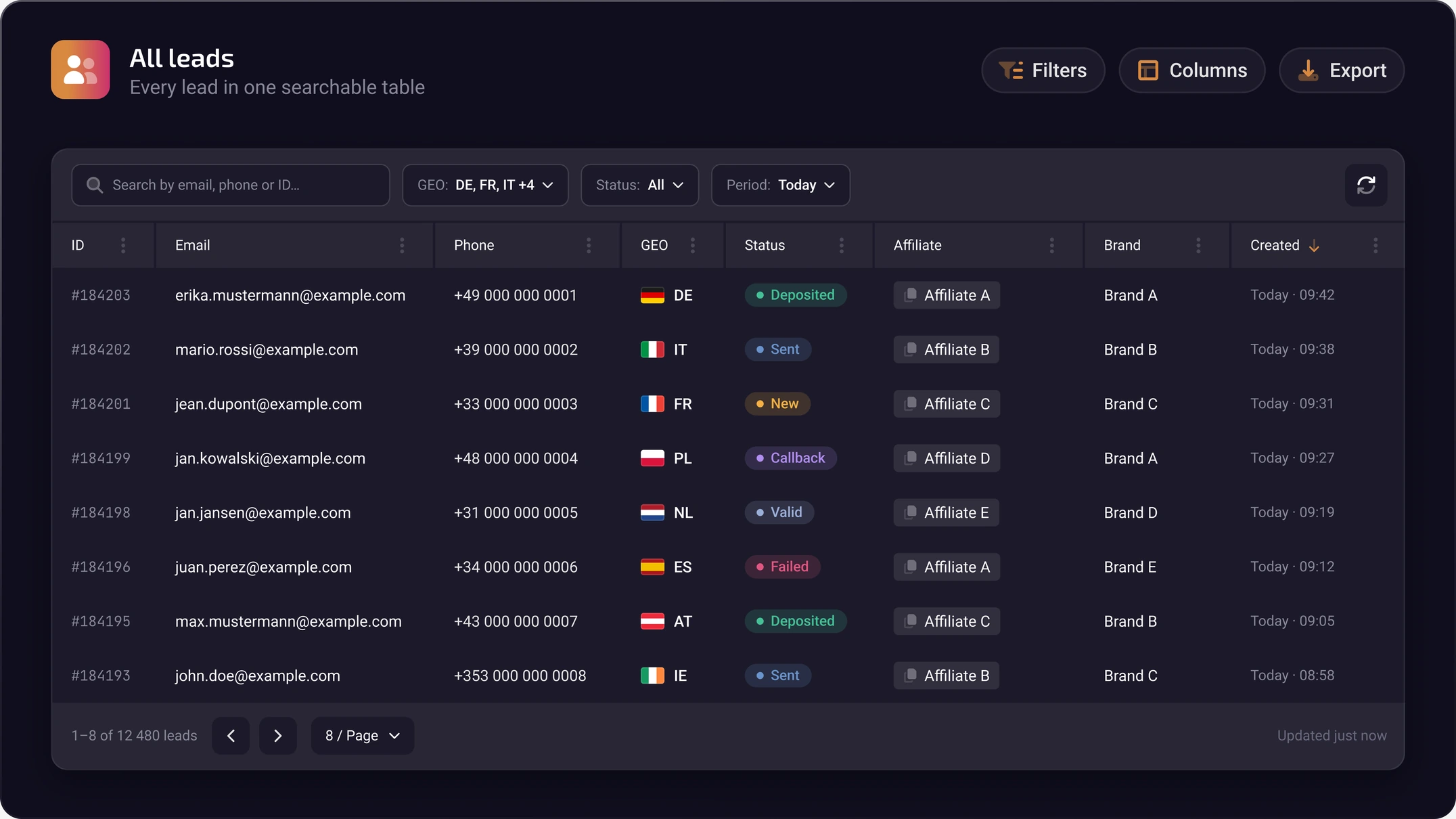
A centralized workspace for monitoring and managing leads throughout their lifecycle.
Work with a customizable lead table, advanced Sub ID and UTM filtering, detailed lead profiles, bulk actions, and data exports — all from one interface.
Choose the columns and views your team works with every day.
Narrow down traffic by source parameters in a few clicks.
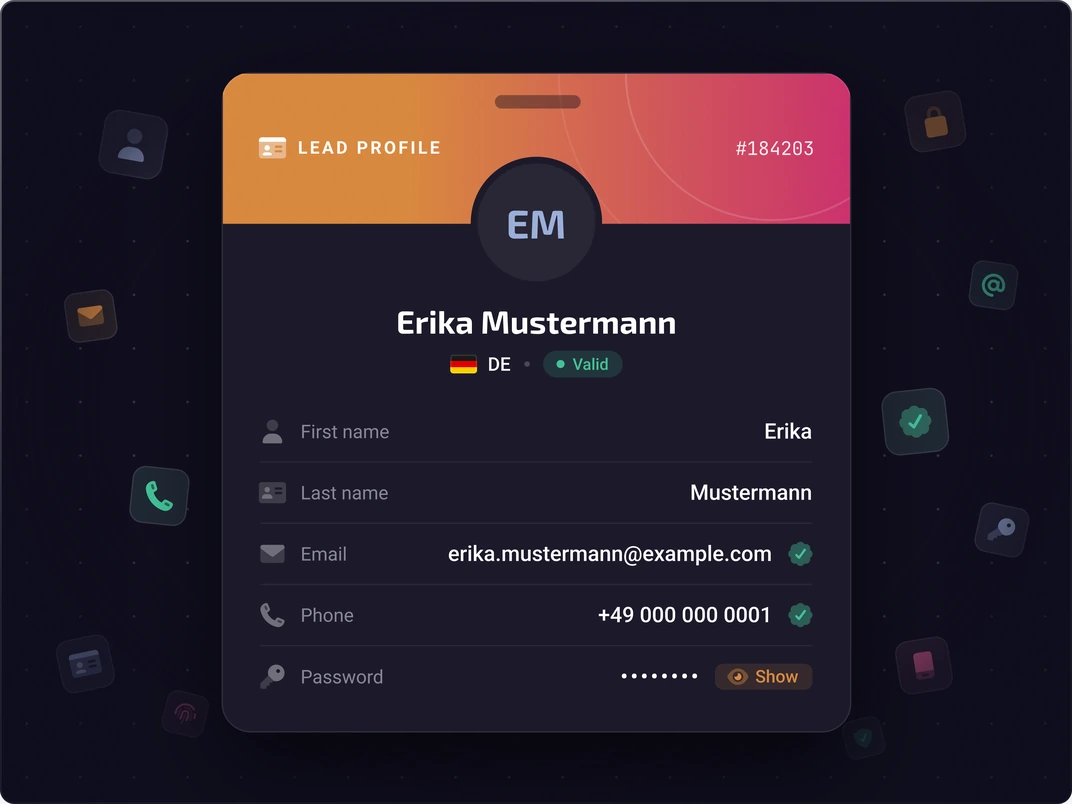
Every lead's data and history on a single screen.
Act on many leads at once and export the data you need.
Multi-layer lead validation and fraud scoring before traffic reaches its destination.
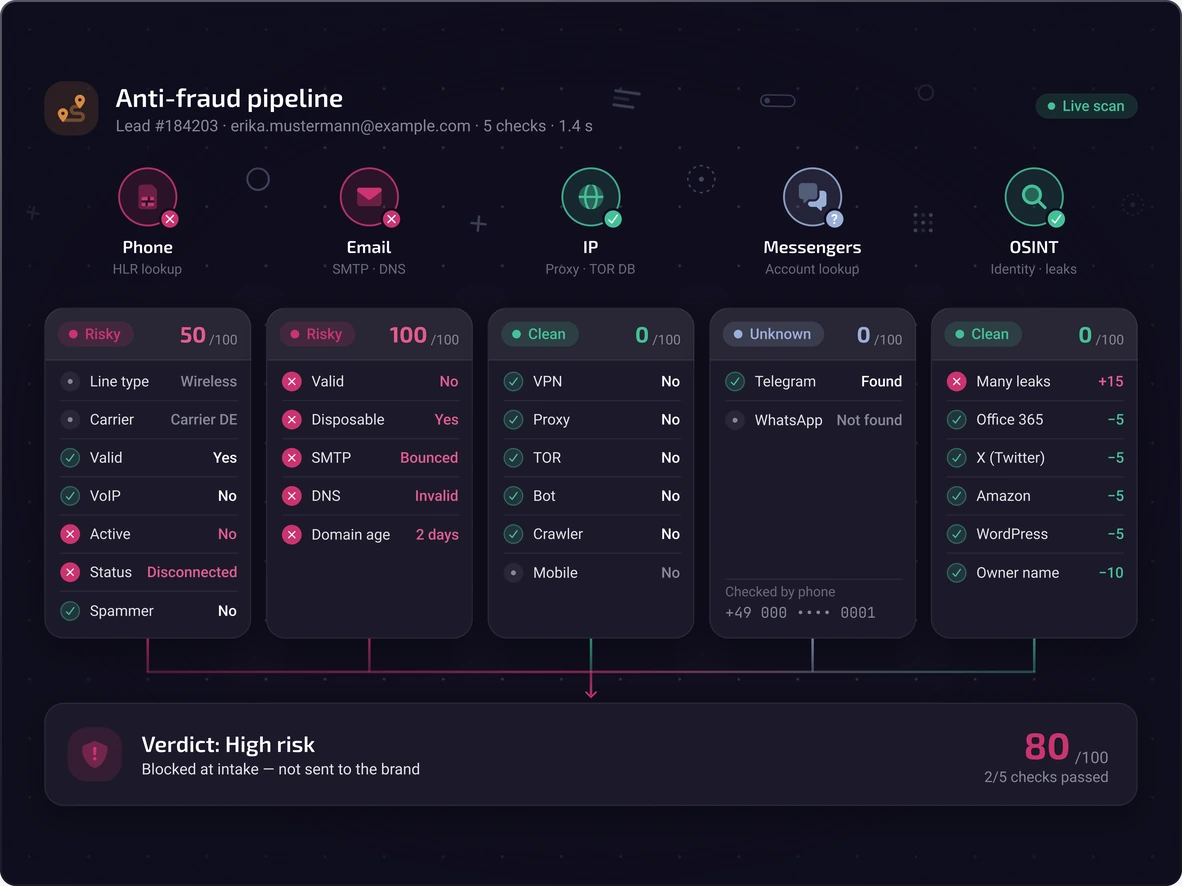
Hyperone combines HLR phone verification, WebGL and Canvas device fingerprinting, email validation, messenger detection, and OSINT-based checks to identify suspicious activity:
Checks SIM and phone-related signals through HLR.
Scans WebGL and Canvas device hashes.
Checks the submitted email address.
Detects whether the number is linked to messengers.
Checks based on open-source intelligence.
Fraud signals drive decisions. They can directly influence lead acceptance and routing decisions, allowing teams to block high-risk leads before delivery to advertisers.
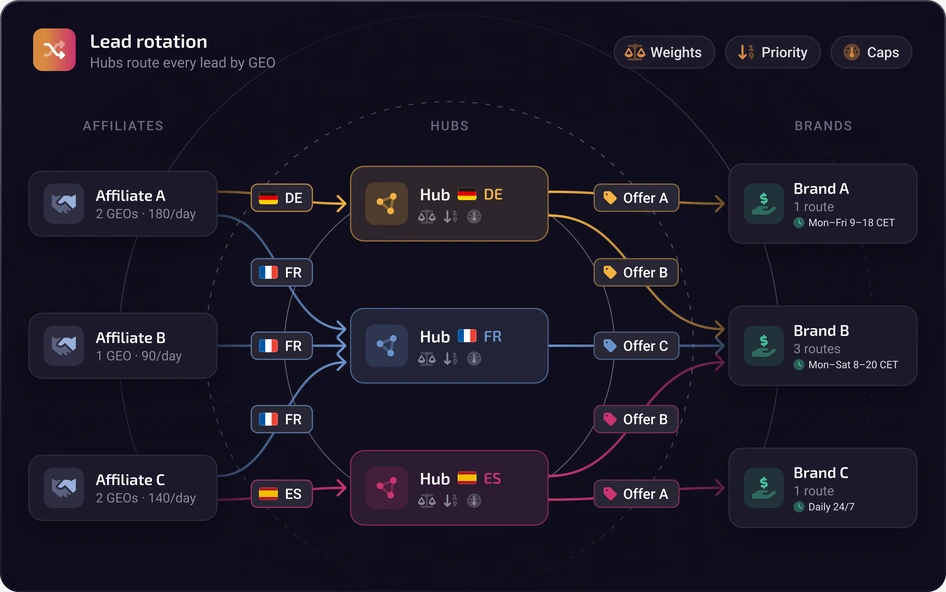
Route leads through Intelligent Hubs using configurable weights, priorities, caps, and availability rules.
UAD Manager reprocesses leads on predefined schedules and conditions
Distribute leads between advertisers according to the weights, priorities, caps, and availability rules you define.
Automates lead reprocessing based on predefined schedules and conditions.
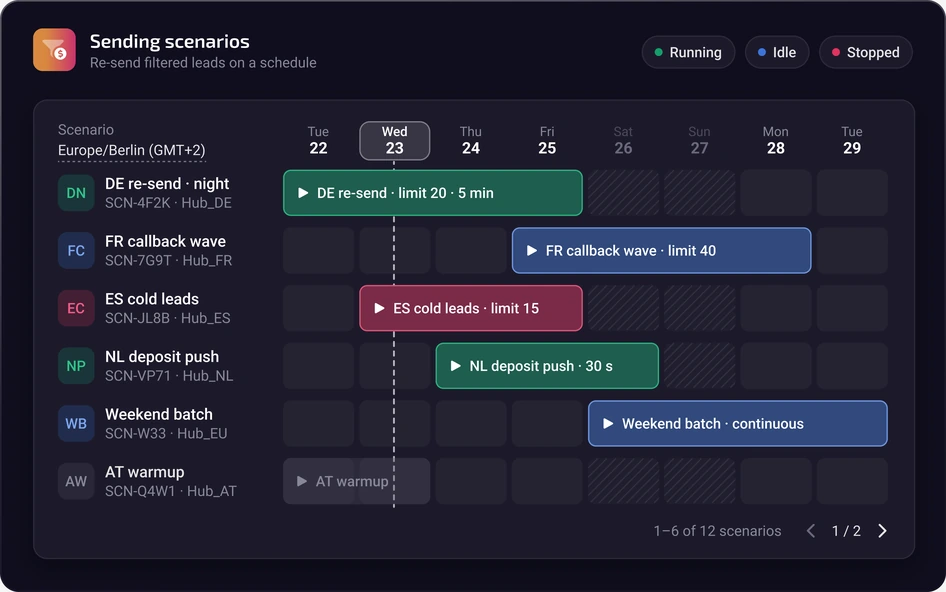
ProRedirect provides IP replacement capabilities for supported redistribution workflows.
Keep lead data connected to downstream advertiser outcomes.
Two-way synchronization updates lead statuses and conversions every 10–15 minutes, helping teams track what happens after a lead is delivered.
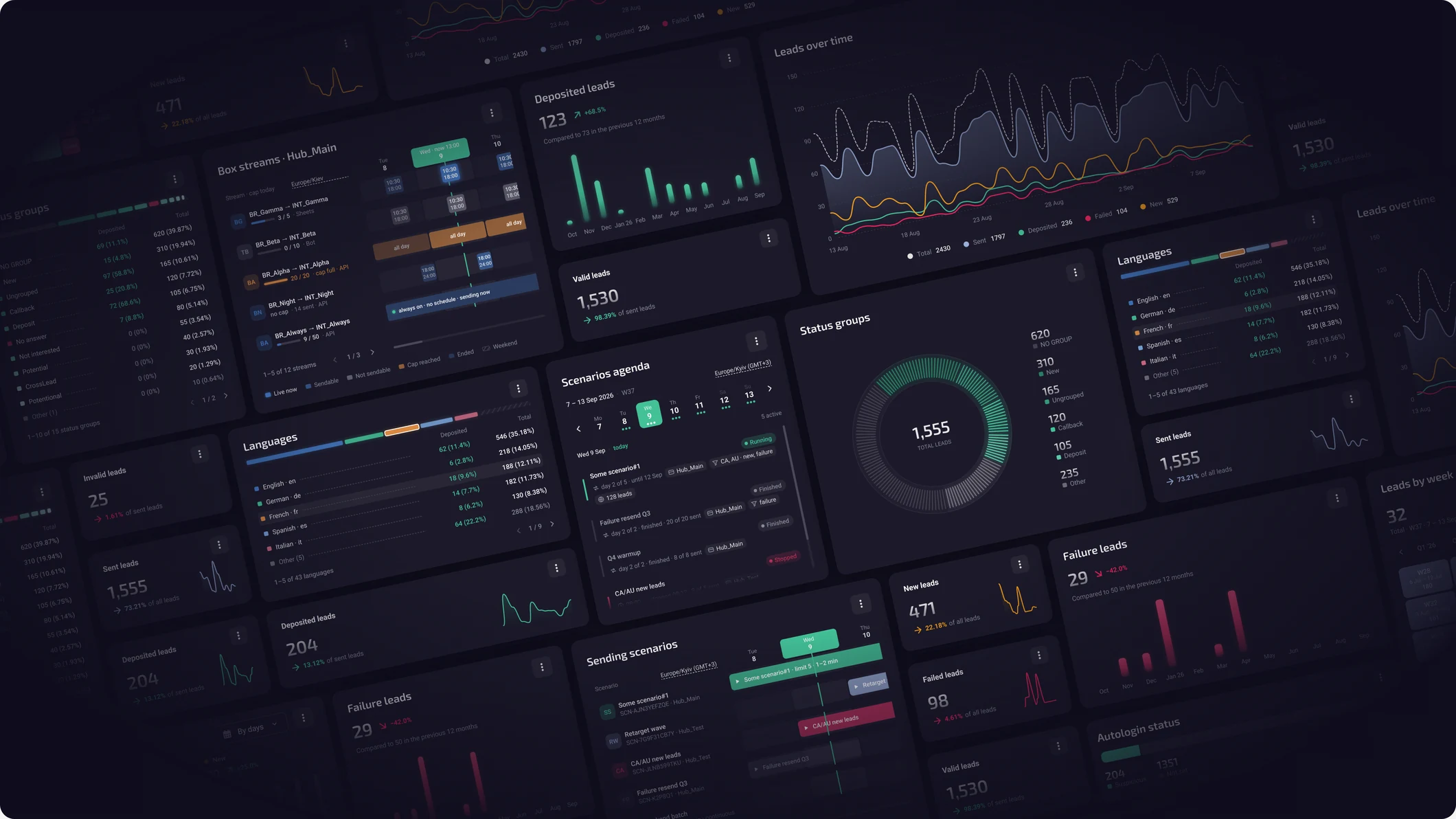
Monitor traffic performance through an operational analytics dashboard.
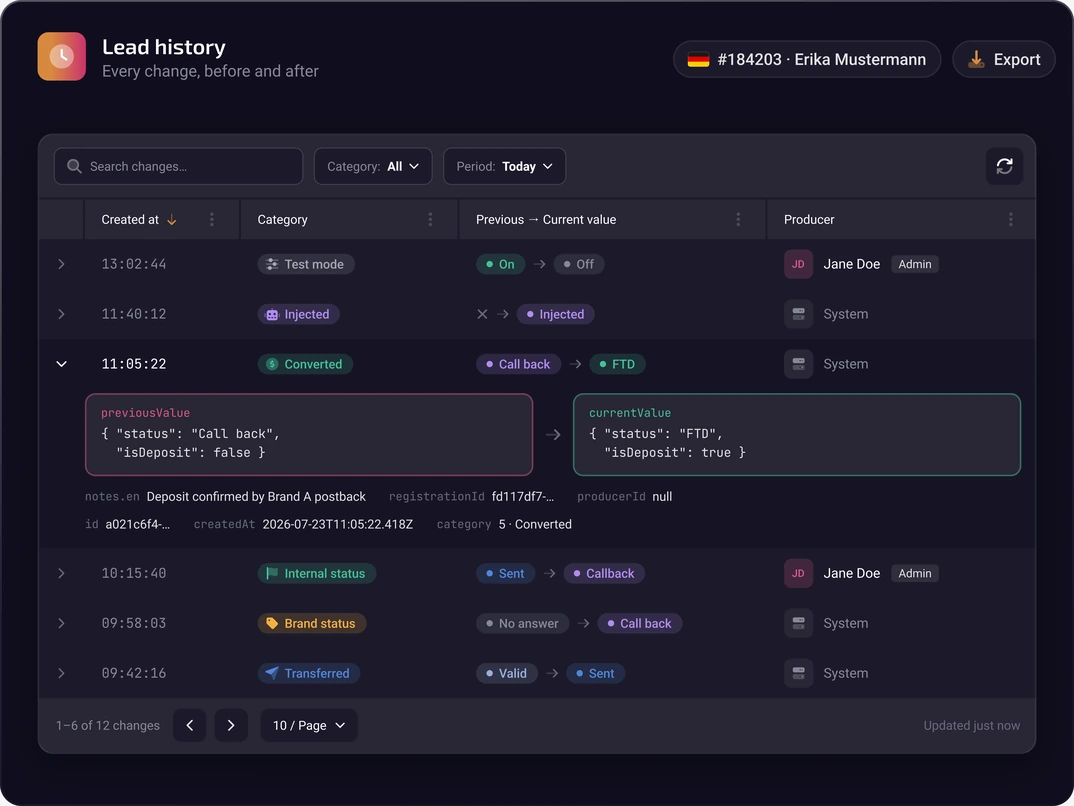
Maintain a traceable record of every lead interaction.
Captures both system and user actions.
Discuss leads right where the work happens.
Keep related files with the record.
Duplicate entities instead of rebuilding them.
Everyone sees and changes only what they should.
Connect your traffic operations to advertisers and external systems.
With request and response logs for every call.
Ready-made advertiser integration templates.
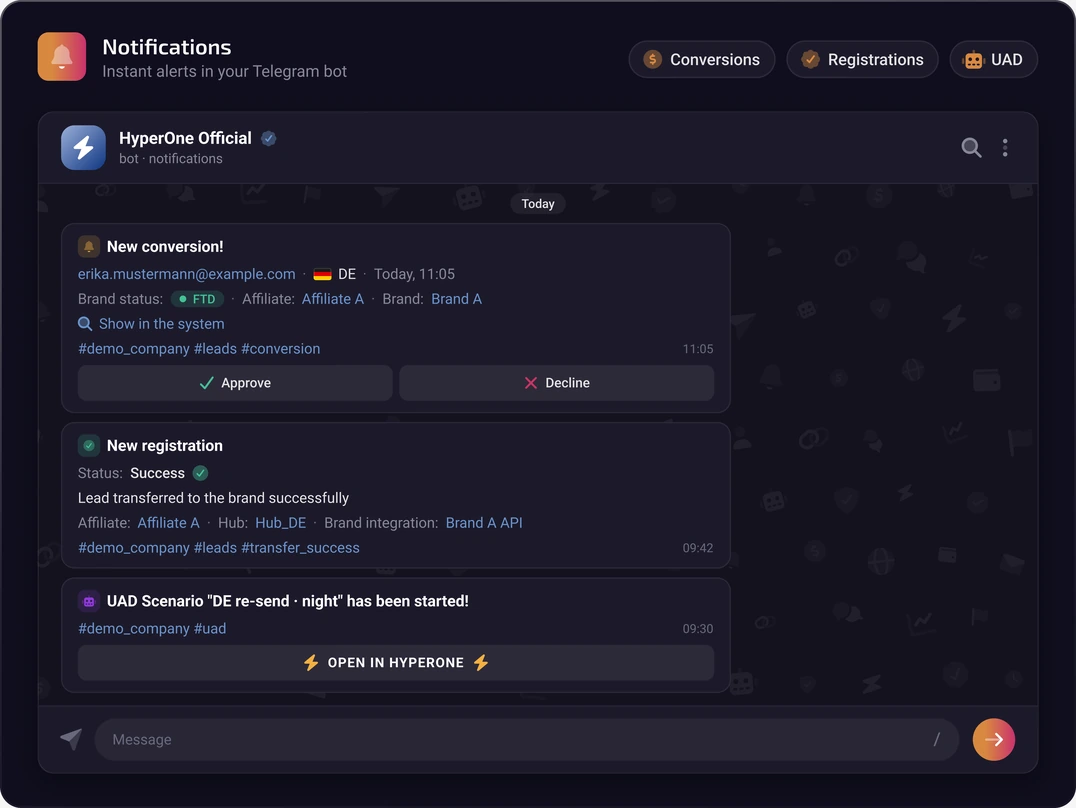
Operational notifications delivered to Telegram.
Validate integration workflows before live traffic.
Short answers about what Hyperone CRM does and how its features work together.
Hyperone CRM is a centralized workspace for managing leads throughout their lifecycle. You work in a customizable lead table, filter traffic by Sub ID and UTM parameters, open detailed lead profiles with each lead’s data and history, apply bulk actions to many leads at once, and export the data you need.
Hyperone distributes leads through Intelligent Hubs. Each hub routes leads between advertisers according to the weights, priorities, caps, and availability rules you configure, so every lead follows the delivery logic your team has defined. Leads that need another delivery attempt can then be reprocessed automatically by UAD Manager.
UAD Manager is the Hyperone scheduler for automated lead reprocessing. Instead of resending leads by hand, your team defines schedules and conditions, and UAD Manager reprocesses matching leads accordingly. For supported redistribution workflows, it works with ProRedirect, which provides IP replacement capabilities. Together they complete the distribution layer alongside Intelligent Hubs.
Hyperone applies multi-layer lead validation and fraud scoring: HLR checks of SIM and phone-related signals, WebGL and Canvas device hash scanning, email validation, messenger detection, and OSINT-based checks. These signals indicate risk rather than guarantee that a lead is genuine. They can influence acceptance and routing, so high-risk leads can be blocked before delivery to advertisers.
Hyperone uses two-way synchronization that updates lead statuses and conversions every 10–15 minutes. The advertiser’s downstream status and any conversion stay attached to the original lead record, so teams can track what happens after a lead is delivered. The synchronized statuses also feed the reporting dashboard, where they are analyzed by status group.
The dashboard analyzes traffic performance by GEO, language, landing page, traffic source, and status group. It also calculates three metrics: QAR for lead quality, FAS for fraud exposure, and PFAR for potential advertiser status anomalies. Together, these views show which sources, GEOs, and landing pages deliver valuable traffic and where quality or status issues need attention.
QAR (Quality Average Rate) is the average quality rating of an affiliate’s leads on a 0–10 scale, based on status-group ratings. FAS (Fraud Average Score) is the average fraud score of a supplier’s traffic. PFAR (Potential Fraud Average Rate) is the share of leads whose status an advertiser changed from valid to invalid — a signal of status anomalies, not proof of fraud.
Yes. The audit trail records every change to a lead, including system and user actions, and shows which user made each change. Teams can also add comments with file attachments, clone entities in one click, and limit access with role-based permissions.
Hyperone supports S2S postbacks with request and response logs, more than 280 ready-made advertiser integration templates, Telegram alert bots, and a test lead generator that creates valid test leads for checking integration workflows before live traffic. Request and response logs help teams diagnose integration issues, while Telegram alerts keep them informed about events that need attention.
Walk through lead management, routing, anti-fraud, and reporting with our team on your own use case.